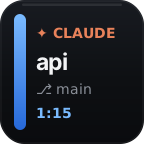
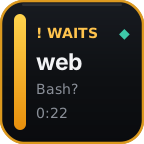
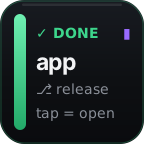
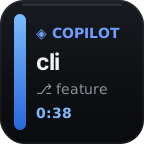
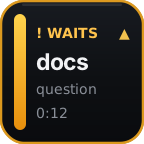
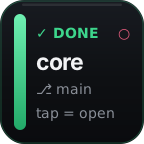
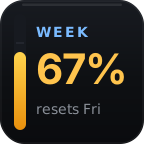
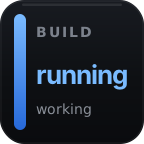

Six coding agents
One combined inbox or separate keys.
18 actions · $5/mo · 7-day free trial
Built deepest for Claude Code and Codex, with live support for Cursor, Copilot CLI, Antigravity, and OpenCode. See who needs you, control supported sessions, or dictate a prompt, then tap only when you are ready to run it.
7-day free trial, then $5/month · every current action included · macOS and Windows · Stream Deck hardware required
One combined inbox or separate keys.
Tap once. The rest of the deck follows.
7-day free trial. Cancel anytime.
What your subscription unlocks
Select a session from its live card, then use the rest of your keys and Stream Deck+ dials to control that target.

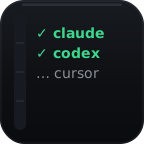
Use one prioritized inbox or one key per agent. Tap to select and focus; hold a completed card to dismiss it.

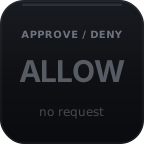
Make Allow, Always allow, and Deny discoverable on separate keys for supported agent prompts.

Cycle Claude Code effort from a key or Stream Deck+ dial. With Codex, open its combined model/reasoning picker.

Carousel through Claude models and see the current choice live. With Codex, open its native picker.

Apply a saved effort/model preset directly to Claude Code. With Codex, open its native picker once.

Send your own text—such as /compact—while keeping your chosen Stream Deck title and icon.

Hold a session key to speak. Preview the transcript—or an English translation—in the terminal, then tap to run it.

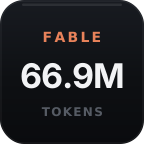
See Claude Code 5-hour, weekly, or Fable usage and Codex weekly usage without another dashboard.

Choose global approval, question, and error alerts—or mute every VibeDeck alert instantly.
Hands-free prompting · explicit send
Dictation is opt-in and off by default. Hold a session key while you speak; VibeDeck sends the audio to the Whisper-compatible endpoint you choose and types the result into that session without pressing Enter.
Your terminal is the preview: edit the text, dictate another segment, or discard it. Nothing runs until you tap the same session key or Push Dictation. Translation support depends on the configured endpoint. Dictation works on macOS and Windows where supported terminal text injection is available.
Six agents · honest compatibility
Claude Code and Codex get the deepest effort, model, usage, and selected-session controls. Cursor, Copilot CLI, Antigravity, and OpenCode still get live session visibility plus the approvals, commands, signals, and dictation their integrations and terminals support.
| Feature | Claude Code | Codex | Cursor | Copilot CLI | Antigravity | OpenCode |
|---|---|---|---|---|---|---|
| Status cards + sounds | ✓ | ✓ limited events | ✓ limited events | ✓ | ✓ statusline | ✓ |
| Approve / Deny | ✓ | Terminal only | Shell + MCP | ✓ | Native app | ✓ |
| Tap to focus | ✓ terminal-dependent | ✓ terminal-dependent | App focus | ✓ terminal-dependent | App/terminal | ✓ terminal-dependent |
| Hold to interrupt | iTerm2 | iTerm2 | iTerm2 | iTerm2 | iTerm2 | iTerm2 |
| Effort key + dial | Direct + live readback | Opens picker; no dial step | — | — | — | — |
| Model key + dial | Direct carousel | Opens picker | — | — | — | — |
| Agent Config | Effort + model | Opens picker | — | — | — | — |
| Custom Command | ✓* | ✓* | ✓* | ✓* | ✓* | ✓* |
| Push Dictation | ✓* | ✓* | ✓* | ✓* | ✓* | ✓* |
| Usage | 5h + week + Fable | Weekly | — | — | — | — |
| Dead-session resume | macOS | — | — | — | — | — |
*Custom Command and Push Dictation require supported terminal text injection on macOS or Windows. Claude Code has the most direct controls. Codex exposes deep control through its native picker. Cursor, Copilot CLI, Antigravity, and OpenCode lifecycle and approval support vary with the events each integration exposes. Completed sessions accept controls and commands; error sessions do not.
Visible setup
Download the plugin from getvibedeck.com with your license key, then drag the actions you want into a Stream Deck profile.
Open the Install Hooks Property Inspector, choose only the detected agents you want, and preview the configuration files VibeDeck will extend. Nothing is selected by default.
Install the selection. VibeDeck backs up the current files, adds only its own entries, validates the result, and rolls back if anything fails.
Codex Direct Control · macOS only
VibeDeck runs the server side automatically (state lives under ~/.vibedeck/codex-control/). Your only step: attach your codex command — one PATH line, explained on the install page.
Without that step, model select, effort, presets, and Approve / Deny stay in Codex's own picker and terminal prompts. Already-open Codex sessions must restart to become controllable.
Not yet available on Windows — planned for a future update.
Checking status…
Open this page from a VibeDeck key while the plugin is running on your computer to see status.
The complete offer
VibeDeck is one plugin for people who already own a Stream Deck, or want one control surface for a growing coding-agent workflow.
Local tax may apply at checkout.
Working, waiting, done, and error cards where each agent exposes them.
Focus, supported approvals, effort, models, presets, voice dictation, commands, usage, and sounds.
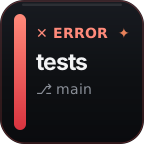
Turn builds, tests, deploys, CI, and scripts into named Custom Signals.
Controls that follow your session
The last session you tap becomes the target for Effort, Model, Agent Config, and Custom Command. A white ring shows exactly what the next control will affect.
iTerm2Exact focus, command typing, and hold-to-interrupt
Terminal.appTab focus and command typing with Accessibility
Other macOS terminalsApp focus and System Events typing where supported
Windows Terminal x64Verified tab focus and typing with captured session identity
Tap a done card to select and focus it; the card stays available instead of clearing. You can prepare the next turn with Effort, Model, Agent Config, or Custom Command. Hold a done or error card when you want to dismiss it.
Enable hold-to-dictate from the Push Dictation settings, then choose your microphone and either your own OpenAI API key or a compatible local Whisper server. Translation mode asks the configured endpoint to translate speech to English. Audio is recorded only while held, the temporary file is deleted after every attempt, and the terminal never runs the result until you tap.
VibeDeck installs only after you choose agents and preview the files. Existing hook arrays are preserved, conflicting single-slot entries are skipped, and invalid configurations are left untouched. A backup is created before changes; the latest ten installation backups are retained.
Requires Stream Deck hardware, Stream Deck 6.5 or newer, and macOS 13+ or Windows 10+. Stream Deck+ is optional and adds dial control for Reasoning Effort and Model.
Custom signals
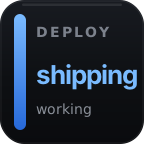
A Signal ID is the address you choose for a Custom Signal button. Send a state to that address from a hook, build, test, or deploy script and the right key changes instantly.
signalId: "tests"→Unique ID, one key. Reuse release on two buttons when you want both to update together.
Add the action to any free Stream Deck key.
Use a memorable address such as agent-progress.
Call the VibeDeck helper from your workflow. Delivery is silent and never changes its exit status.
Pick your recipe
Choose an agent and operating system. Add these non-blocking calls alongside the matching native lifecycle hooks; do not replace VibeDeck's installed hooks.
Merge these event groups into the matching arrays in hooks. Keep every existing setting and hook, including VibeDeck-installed entries.
{
  "hooks": {
    "UserPromptSubmit": [{
      "hooks": [{
        "type": "command",
        "command": "$HOME/.vibedeck/vibedeck-signal.sh agent-progress working 'Agent is building'"
      }]
    }]
  }
}
Coverage: Claude exposes working, needs-you, done, error, and session-end events.
curl --silent --max-time 1 \
  -X POST http://127.0.0.1:37373/signal \
  -H 'Content-Type: application/json' \
  -H "X-VibeDeck-Token: $(cat "$HOME/.vibedeck/auth-token")" \
--data '{"signalId":"agent-progress","state":"working","label":"Agent is building","sound":false}'$headers = @{ 'X-VibeDeck-Token' =
(Get-Content "$HOME/.vibedeck/auth-token" -Raw).Trim() }
$body = @{ signalId = 'agent-progress'; state = 'working';
label = 'Agent is building'; sound = $false } | ConvertTo-Json
Invoke-RestMethod -Uri 'http://127.0.0.1:37373/signal' `
-Method Post -ContentType 'application/json' `
-Headers $headers -Body $body -TimeoutSec 2Questions
$5/month, billed by Lemon Squeezy, with a 7-day free trial. You won't be charged until the trial ends, and you can cancel any time before that — right from the Lemon Squeezy customer portal, no support email needed. Your subscription unlocks all 18 current actions: session cards, six agent-specific session actions, Approve / Deny, two usage actions, Install Hooks, Sounds, Custom Signal, Reasoning Effort, Model, Agent Config, Custom Command, and Push Dictation. If a subscription lapses, VibeDeck's actions lock until it is renewed; see Terms.
No. Push Dictation is included with VibeDeck, but voice-processing services are not. You can use your own OpenAI API key, with API usage billed separately by OpenAI, or run a compatible local Whisper server and leave the key empty. Translation mode translates speech to English when your configured endpoint supports it. Dictation is off by default, and nothing is submitted until you tap.
Claude Code gets a direct opus, sonnet, fable, and haiku carousel on a key or Stream Deck+ dial. Codex shows its current model and opens Codex's native model picker; VibeDeck does not select a Codex model directly.
Tap a session card first. Reasoning Effort, Model, Agent Config, and Custom Command then act on that selected Claude Code or Codex session where supported. Custom Command can target other agents when terminal text injection is available.
Choose separate global sounds for approval, question, and error alerts, preview them, use a short custom WAV, disable a category, reset defaults, or mute every VibeDeck alert from one key.
Never on launch. You explicitly select agents in the Install Hooks Property Inspector, preview the affected files, and then confirm the installation.
VibeDeck adds its entries alongside existing hook arrays. Invalid files and single-slot conflicts are left untouched and shown as Needs review.
No. Configure only the ones you use. Agent-specific keys stay independent.
Status delivery quietly fails and your coding agent continues. Permission connections return control to the agent’s normal prompt.
Up to 2 devices at a time. Deactivate an old machine from the setup page, or clear every activation at /reset if the machine is gone.
No. VibeDeck is an independent product and is not affiliated with Elgato, Anthropic, OpenAI, Cursor, GitHub, Google, or OpenCode.
Support
Confirm the Stream Deck app is running, VibeDeck is enabled, and start a fresh agent session after setup.
Email [email protected] with your agent, operating system, and exact error. Never send API keys or tokens.